Table of Contents
Module V.T.O.3D

| Program version | BASIC | 2D PRO | 3D PRO | LAB | OMS |
|---|---|---|---|---|---|
Availablility  |  | |  |  | |
not included
included by default
optionally included
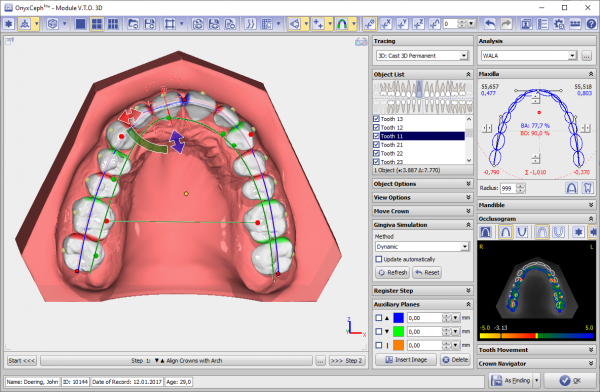
Module V.T.O.3D ("Virtual Setup") provides tools to simulate treatment goals in a time-effec-tive manner and to use them for the subsequent planning of treatment appliances. It is not intended to automatically generate treatment suggestions.
In the module, a virtual treatment goal can be defined on the basis of a segmented and discretized digital model ("digital working model"). For this purpose, the module provides options and controls in order to adapt the dental arches of the upper jaw and lower jaw in their spatial shape to each other and to the skeletal situation of the individual patient, but also in order to control position and orienta-tion of each individual tooth in its associated dental arch.
The tooth movement as a result of both movement options (control of the tooth position on the one hand by means of the dental arch curve and on the other hand by means of offsets relative to the dental arch curve) is therefore described as the total of two separate 3D transformations.
First Steps
- Select useful wizard steps with right and apply with left click
- Adjust bow and single teeth to visual treatment objective as needed
- Show inter tooth and occlusal distances and adjust planning as needed
- Save intermediate steps and final result als project
- Save as new finding for Aligner or Wire-Bonding
Module user interface