Table of Contents
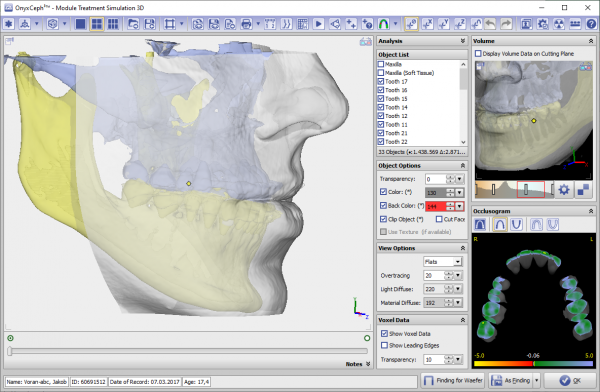
Module Sim 3D

| Program version | BASIC | 2D PRO | 3D PRO | LAB | OMS |
|---|---|---|---|---|---|
Availablility  |  | |  | |  |
not included
included by default
optionally included
Module Treatment Simulation 3D allows the virtual planning of combined orthodontic and orthognathic treatment. It can be used with a initial malocclusion scan and lateral ceph Xray for initial consultation between the patient, orthodontist and surgeon (e.g., as part of a dysgnathia consultation) as well as for the virtual planning of segmental osteotomies during the actual surgical procedure using volume data ( CT, DVT) and belonging intraoral or model scan. The jaw relations to be fixed during the operation can be internally saved as individual findings and used in the Waefer Creation module for the design of surgical splints.
The 3D treatment simulation module provides software tools for defining and moving virtual bone segments based on image or scan data in order to simulate treatment stages. The user must ensure the suitability of the initial data and the manipulations and calculations performed on it for the intended use in the context of planned treatment measures. In accordance with the intended purpose, clinical decisions must not be based exclusively or even primarily on the results provided by the software.
First Steps
- Combine Data in Module Sim3D Register
- Create treatment plan on timeline
- Simulate soft tissue deformationin treatment goal
- Export treatment goal for splint planning
Module user interface